Headsheet – haircut diagrams, or head sheets, for hairstylists on iPhone, iPad and Mac

Draw haircut diagrams. For stylists saving a cut, students learning one, and educators teaching one.

Download Headsheet on the App Store

Free on iPhone, iPad and Mac. No account, no ads.

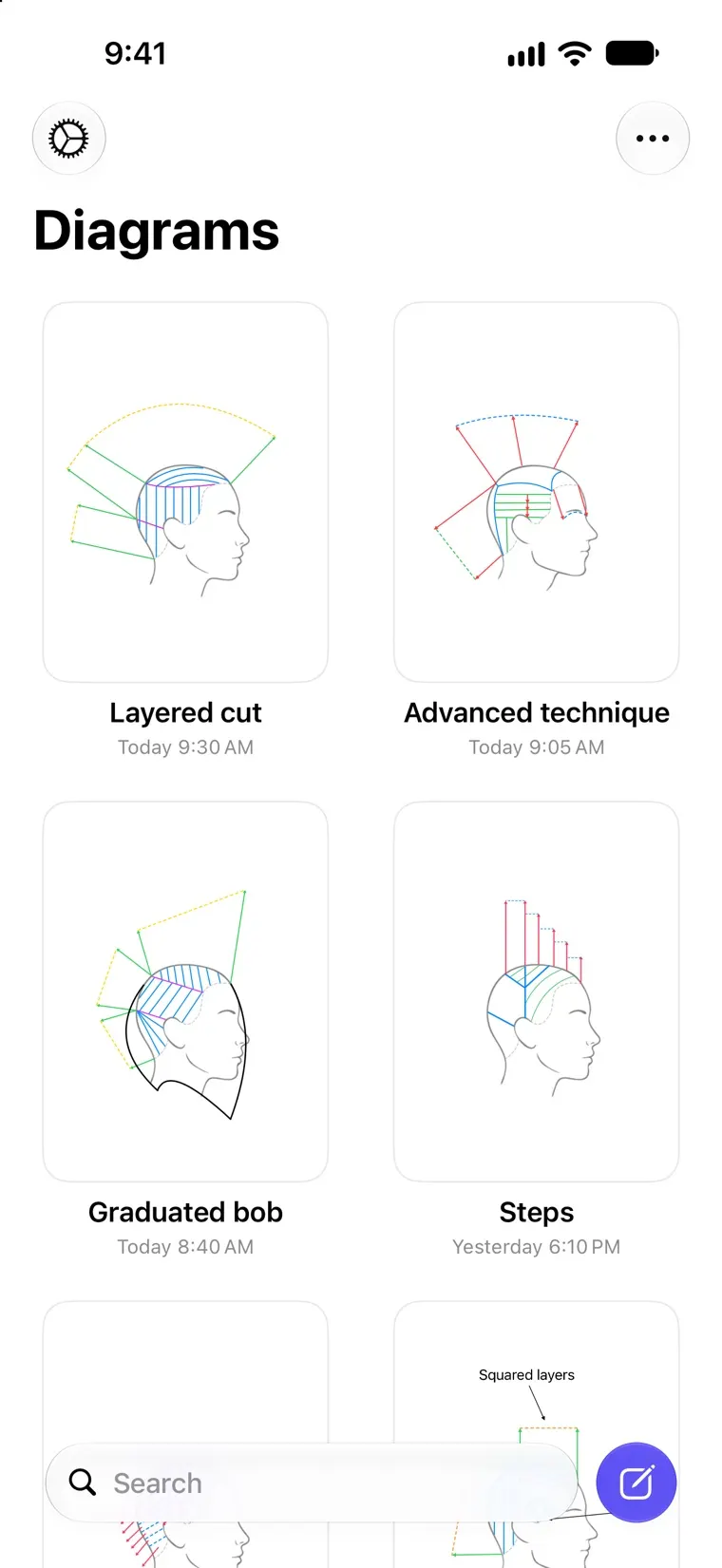
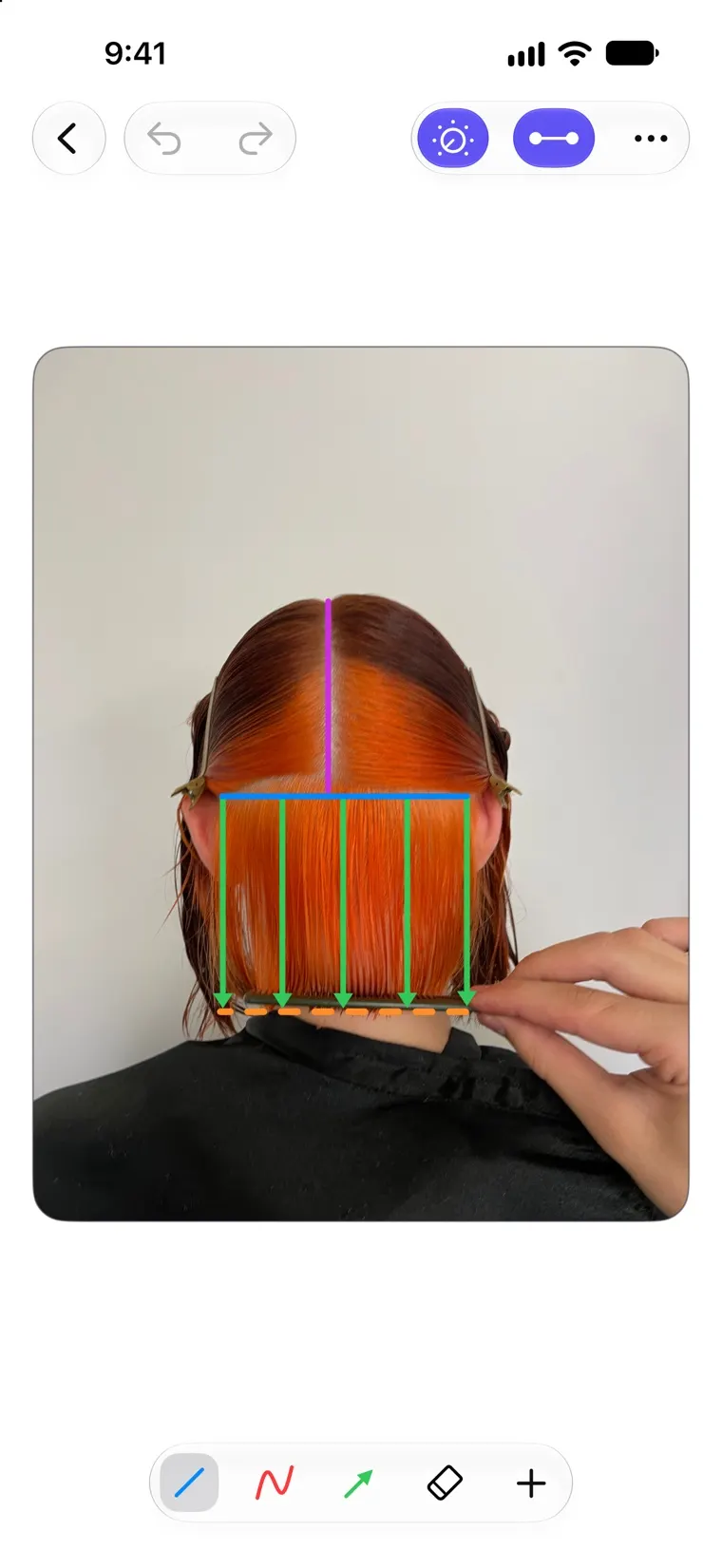
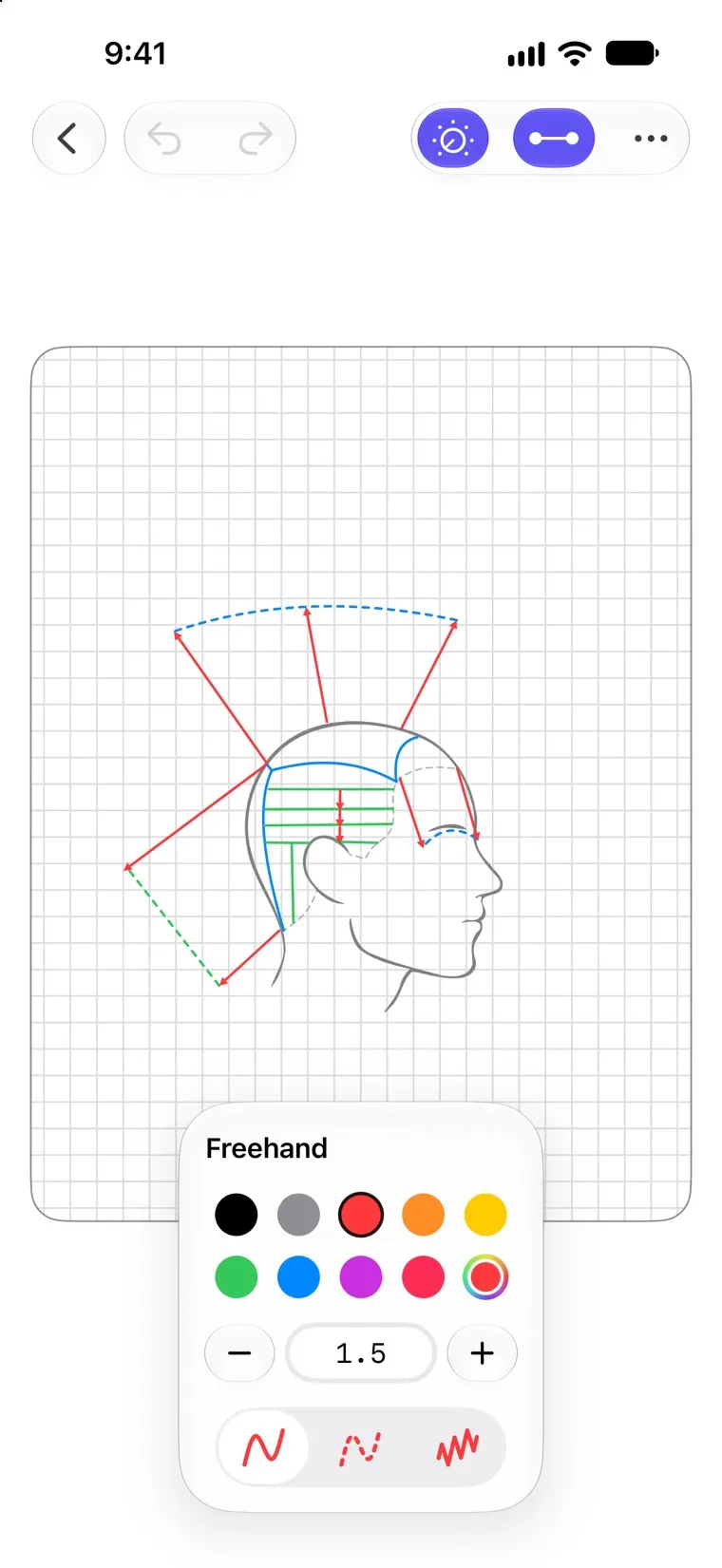
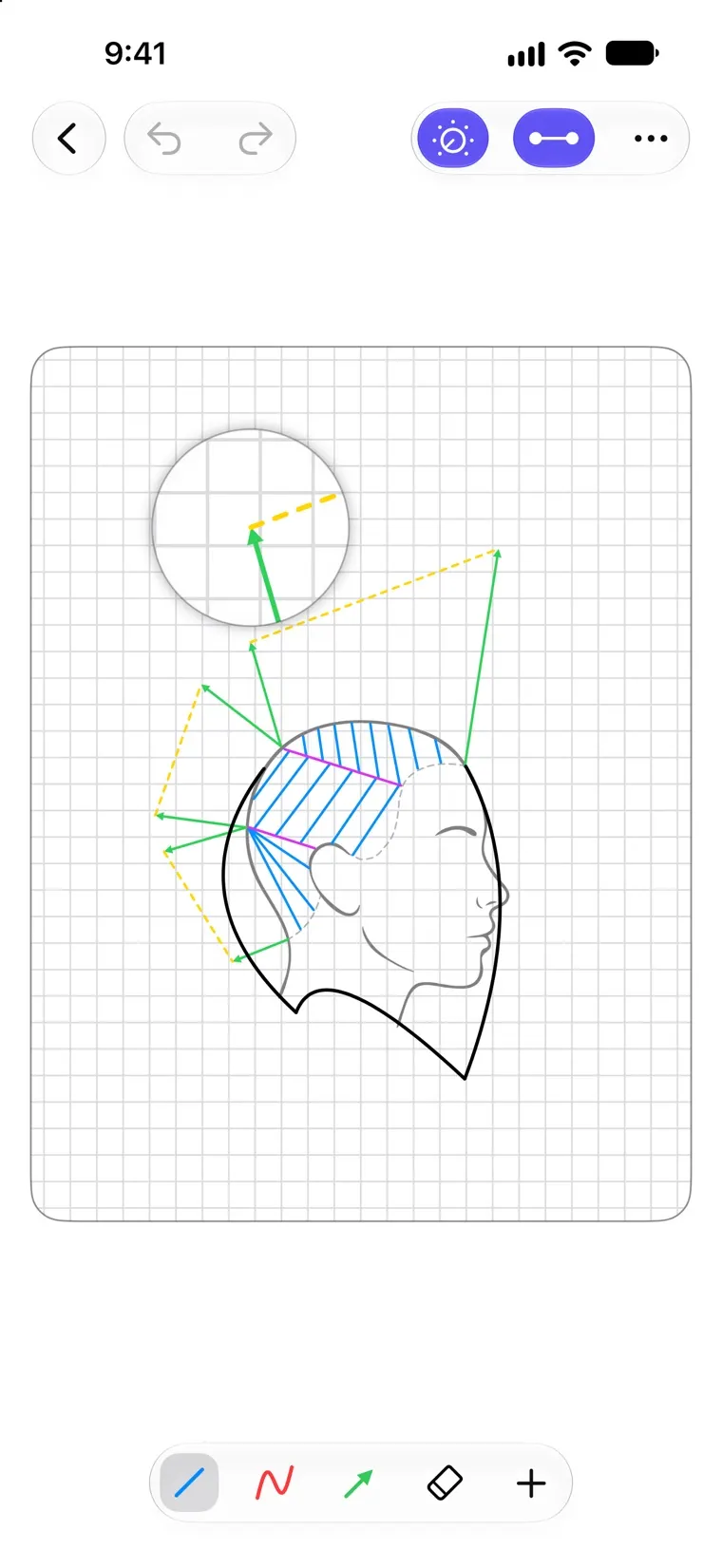
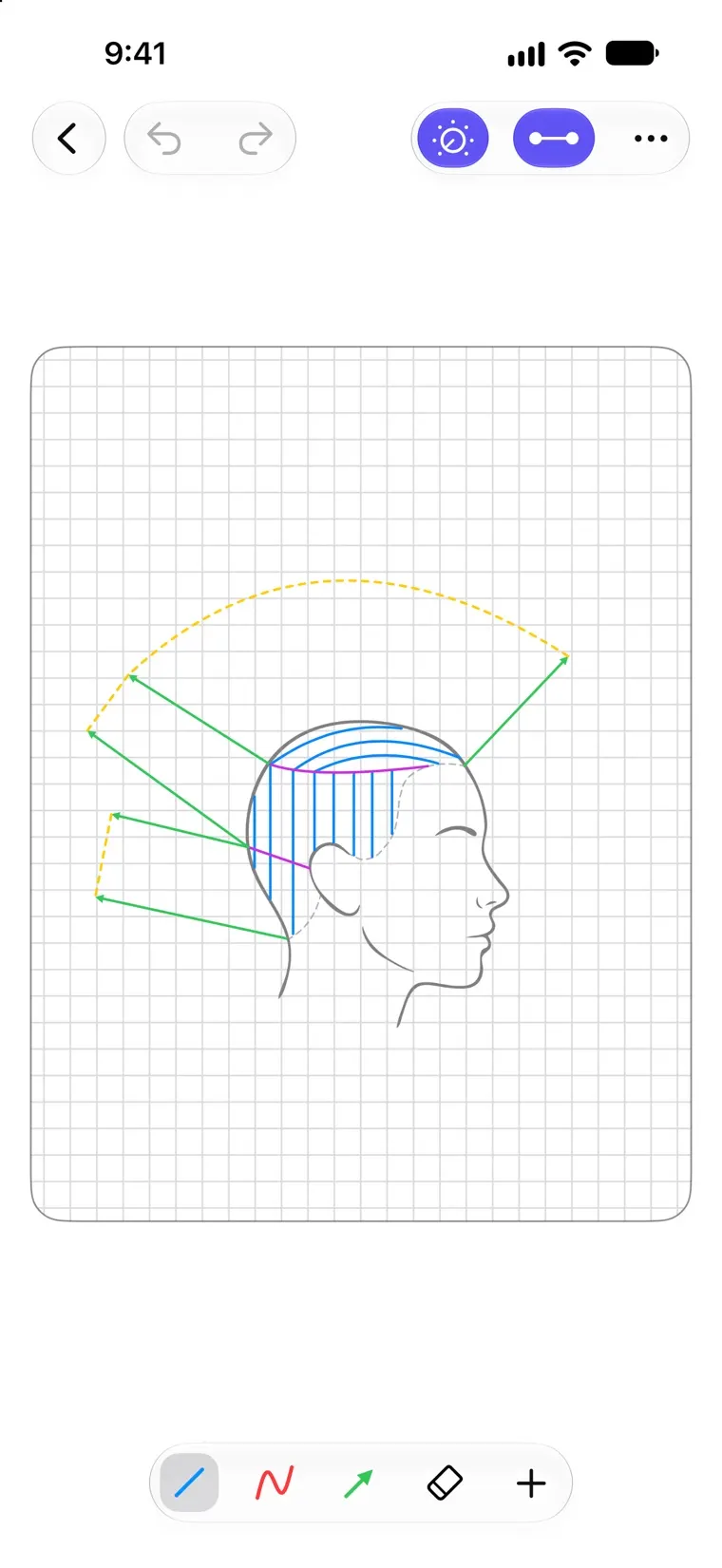
Drawing a haircut diagram in Headsheet: sectioning lines and overdirection arrows over a side view of the headA diagram's Overview in Headsheet, showing all five views of the head at onceThe Diagrams library in Headsheet, with saved haircut diagrams shown as named cardsA Headsheet diagram drawn over the stylist's own reference photo of a clientThe freehand tool's settings in Headsheet, open over a diagram: color swatches, line width, and solid, dashed and zigzag line stylesThe magnifier in Headsheet, enlarging the point where an overdirection arrow meets a dashed guide line above a side view of the head

Who it's for

  • Stylists and Barbers

    Save the cut for the next appointment.

  • Educators

    Show a technique instead of describing it.

  • Students

    Draw the cut, not the head around it.

How it works

  1. Create a diagram

    Five views of a male or female head, or up to six of your own photos.

  2. Draw the cut

    Lines, arrows, freehand strokes and text labels, on any of the views.

  3. Save and share it

    It syncs through your own iCloud. Send a flat image or an editable file.

Features
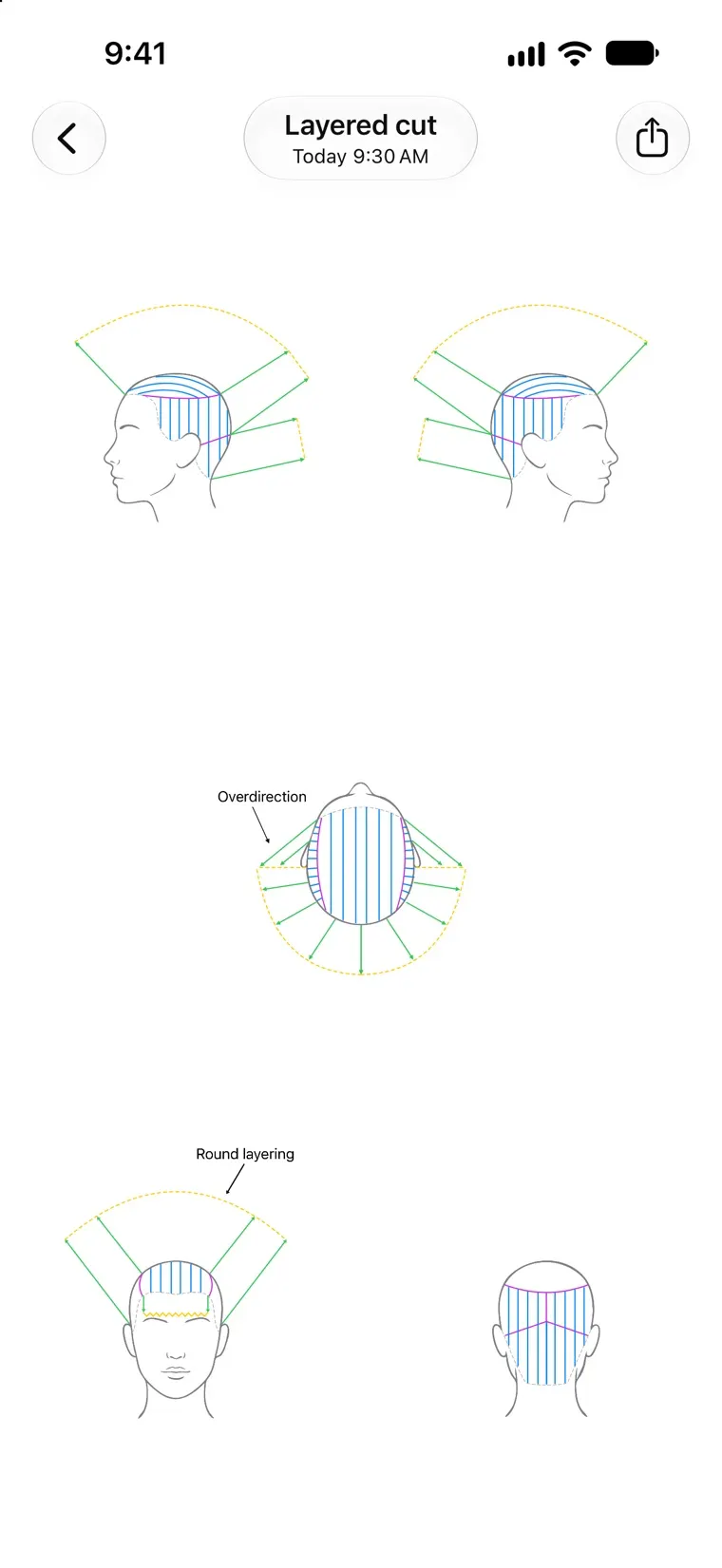
A diagram's Overview in Headsheet, showing all five views of the head at onceThe Diagrams library in Headsheet, with saved haircut diagrams shown as named cardsA Headsheet diagram drawn over the stylist's own reference photo of a clientThe freehand tool's settings in Headsheet, open over a diagram: color swatches, line width, and solid, dashed and zigzag line stylesThe magnifier in Headsheet, enlarging the point where an overdirection arrow meets a dashed guide line above a side view of the head
  • Every Angle of the Head

    Front, back, left, right and top in every diagram.

  • Your Own References

    Draw over your own reference photos.

  • Tools Made for Diagrams

    Lines, arrows, freehand strokes and labels.

  • Mirror Mode

    Draw one side and the other follows.

  • Precise Without Effort

    Snapping, a grid and a magnifier.

  • Share Your Work

    Send an image, a video, or an editable file.

Questions

Price, Android, iCloud and more. Read the FAQ